Files & Collections
Using Collections via API
This guide walks you through managing collections programmatically using the xAI SDK and REST API.
Creating a Management Key
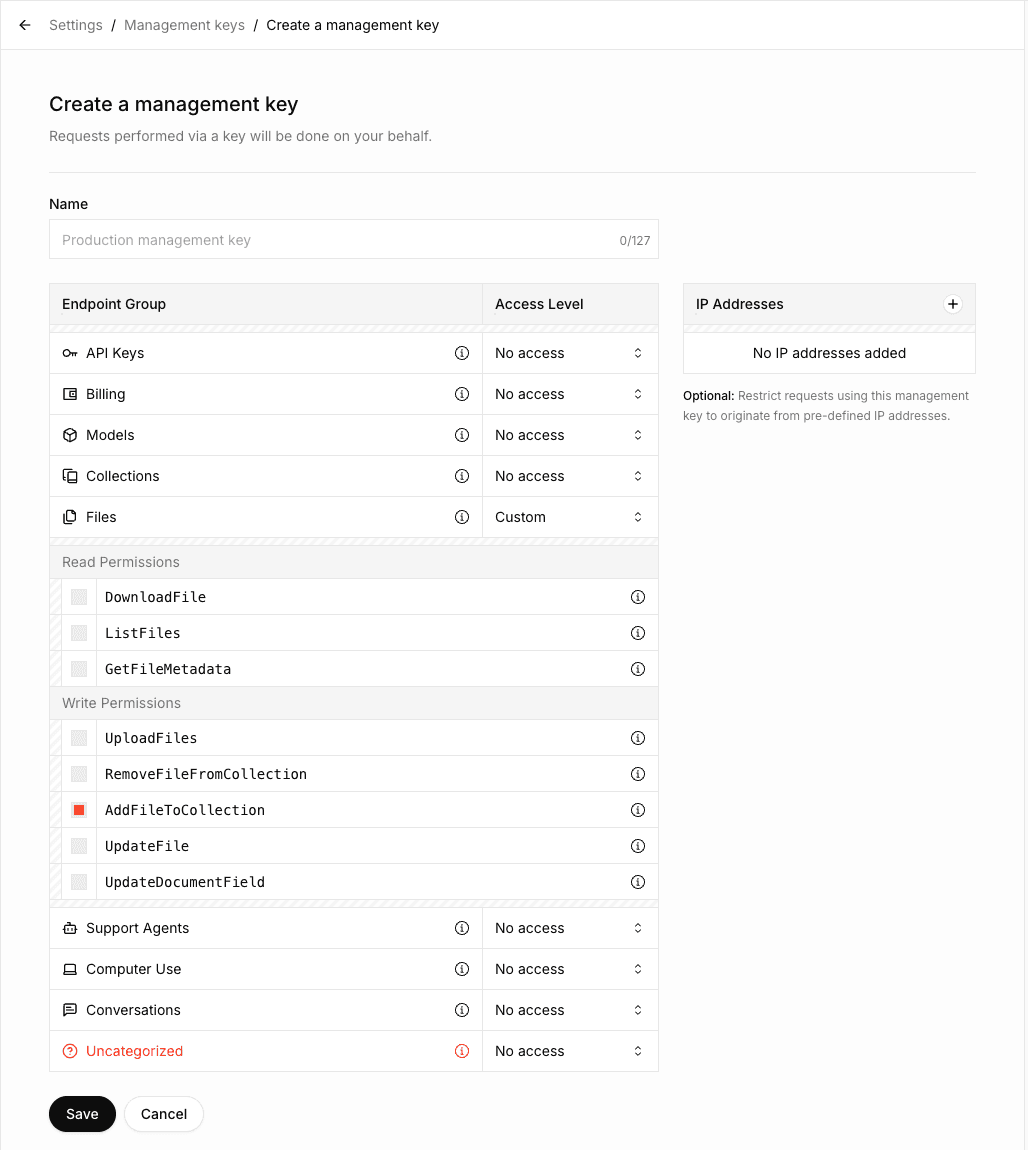
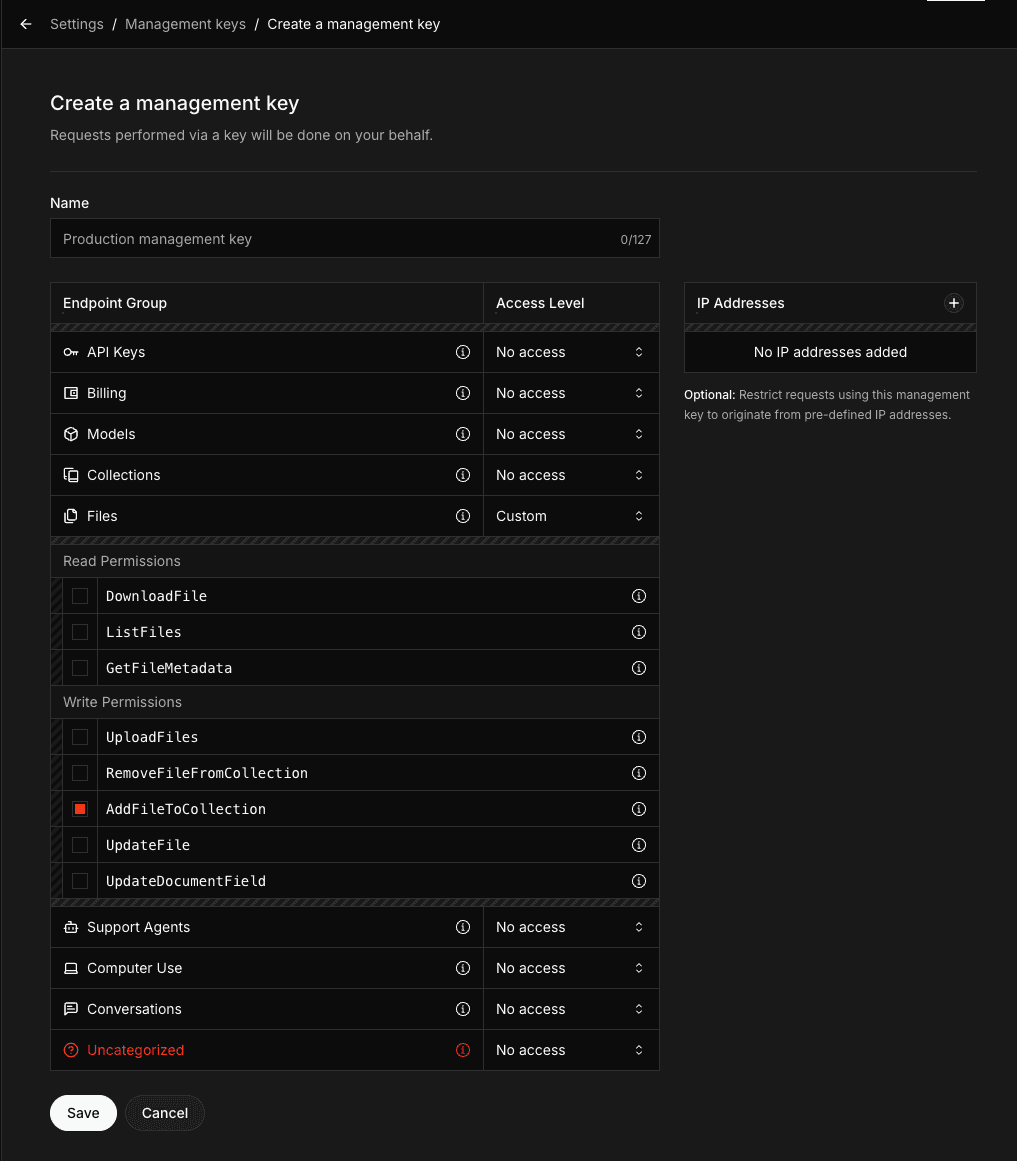
To use the Collections API, you need to create a Management API Key with the AddFileToCollection permission. This permission is required for uploading documents to collections.
Navigate to the Management Keys section in the xAI Console
Click on Create Management Key
Select the
AddFileToCollectionpermission along with any other permissions you needIf you need to perform operations other than uploading documents (such as creating, updating, or deleting collections), enable the corresponding permissions in the Collections Endpoint group
Copy and securely store your Management API Key
Creating a collection
import os
from xai_sdk import Client
client = Client(
    api_key=os.getenv("XAI_API_KEY"),
    management_api_key=os.getenv("XAI_MANAGEMENT_API_KEY"),
    timeout=3600,
)

collection = client.collections.create(
    name="SEC Filings",
)

print(collection)Listing collections
# ... Create client
collections = client.collections.list()
print(collections)Viewing collection configuration
# ... Create client
collection = client.collections.get("collection_dbc087b1-6c99-493d-86c6-b401fee34a9d")

print(collection)Updating collection configuration
# ... Create client
collection = client.collections.update(
    "collection_dbc087b1-6c99-493d-86c6-b401fee34a9d",
    name="SEC Filings (New)"
)

print(collection)Uploading documents
Uploading a document to a collection is a two-step process:
Upload the file to the xAI API
Add the uploaded file to your collection
# ... Create client
with open("tesla-20241231.html", "rb") as file:
    file_data = file.read()

document = client.collections.upload_document(
    collection_id="collection_dbc087b1-6c99-493d-86c6-b401fee34a9d",
    name="tesla-20241231.html",
    data=file_data,
)
print(document)Uploading with metadata fields
If your collection has metadata fields defined (the collection must have these fields set in field_definitions when created or updated - see the linked metadata page for details), include them using the fields parameter:
# ... Create client
with open("paper.pdf", "rb") as file:
    file_data = file.read()

document = client.collections.upload_document(
    collection_id="collection_dbc087b1-6c99-493d-86c6-b401fee34a9d",
    name="paper.pdf",
    data=file_data,
    fields={
        "author": "Sandra Kim",
        "year": "2024",
        "title": "Q3 Revenue Analysis"
    },
)
print(document)Searching documents
You can also search documents using the Responses API with the file_search tool. See the Collections Search Tool guide for more details.
# ... Create client
response = client.collections.search(
    query="What were the key revenue drivers based on the SEC filings?",
    collection_ids=["collection_dbc087b1-6c99-493d-86c6-b401fee34a9d"],
)
print(response)Search modes
There are three search methods available:
Keyword search
Semantic search
Hybrid search (combines both keyword and semantic methods)
By default, the system uses hybrid search, which generally delivers the best and most comprehensive results.
| Mode | Description | Best for | Drawbacks |
|---|---|---|---|
| Keyword | Searches for exact matches of specified words, phrases, or numbers | Precise terms (e.g., account numbers, dates, specific financial figures) | May miss contextually relevant content |
| Semantic | Understands meaning and context to find conceptually related content | Discovering general ideas, topics, or intent even when exact words differ | Less precise for specific terms |
| Hybrid | Combines keyword and semantic search for broader and more accurate results | Most real-world use cases | Slightly higher latency |
The hybrid approach balances precision and recall, making it the recommended default for the majority of queries.
An example to set hybrid mode:
curl https://api.x.ai/v1/documents/search \
  -H "Content-Type: application/json" \
  -H "Authorization: Bearer $XAI_API_KEY" \
  -d '{
      "query": "What were the key revenue drivers based on the SEC filings?",
      "source": {
          "collection_ids": [
              "collection_dbc087b1-6c99-493d-86c6-b401fee34a9d"
          ]
      },
      "retrieval_mode": {"type": "hybrid"}
}'
You can set "retrieval_mode": {"type": "keyword"} for keyword search and "retrieval_mode": {"type": "semantic"} for semantic search.
Deleting a document
# ... Create client

client.collections.remove_document(
    collection_id="collection_dbc087b1-6c99-493d-86c6-b401fee34a9d",
    file_id="file_55a709d4-8edc-4f83-84d9-9f04fe49f832",
)Deleting a collection
# ... Create client

client.collections.delete(collection_id="collection_dbc087b1-6c99-493d-86c6-b401fee34a9d")Next Steps
Last updated:May 25, 2026