Model Capabilities
Image Editing
Edit an existing image by providing a source image along with your prompt. The model understands the image content and applies your requested changes.
With the xAI SDK, use the same sample() method; just add the image_url parameter:
import base64
import xai_sdk

client = xai_sdk.Client()

# Load image from file and encode as base64
with open("photo.png", "rb") as f:
    image_data = base64.b64encode(f.read()).decode("utf-8")

response = client.image.sample(
    prompt="Render this as a pencil sketch with detailed shading",
    model="grok-imagine-image-2.0",
    image_url=f"data:image/png;base64,{image_data}",
)

print(response.url)You can provide the source image as:
A public URL pointing to an image
A base64-encoded data URI (e.g.,
data:image/jpeg;base64,...)A
file_idfrom the Files API — see Imagine → Files API Integration
Multi-turn editing
Chain multiple edits together by using each output as the input for the next. This enables iterative refinement; start with a base image and progressively add details, adjust styles, or make corrections.



import xai_sdk

client = xai_sdk.Client()

response = client.image.sample(
    prompt="A modern living room with large windows overlooking the city",
    model="grok-imagine-image-2.0",
)

print(response.url)Style transfer
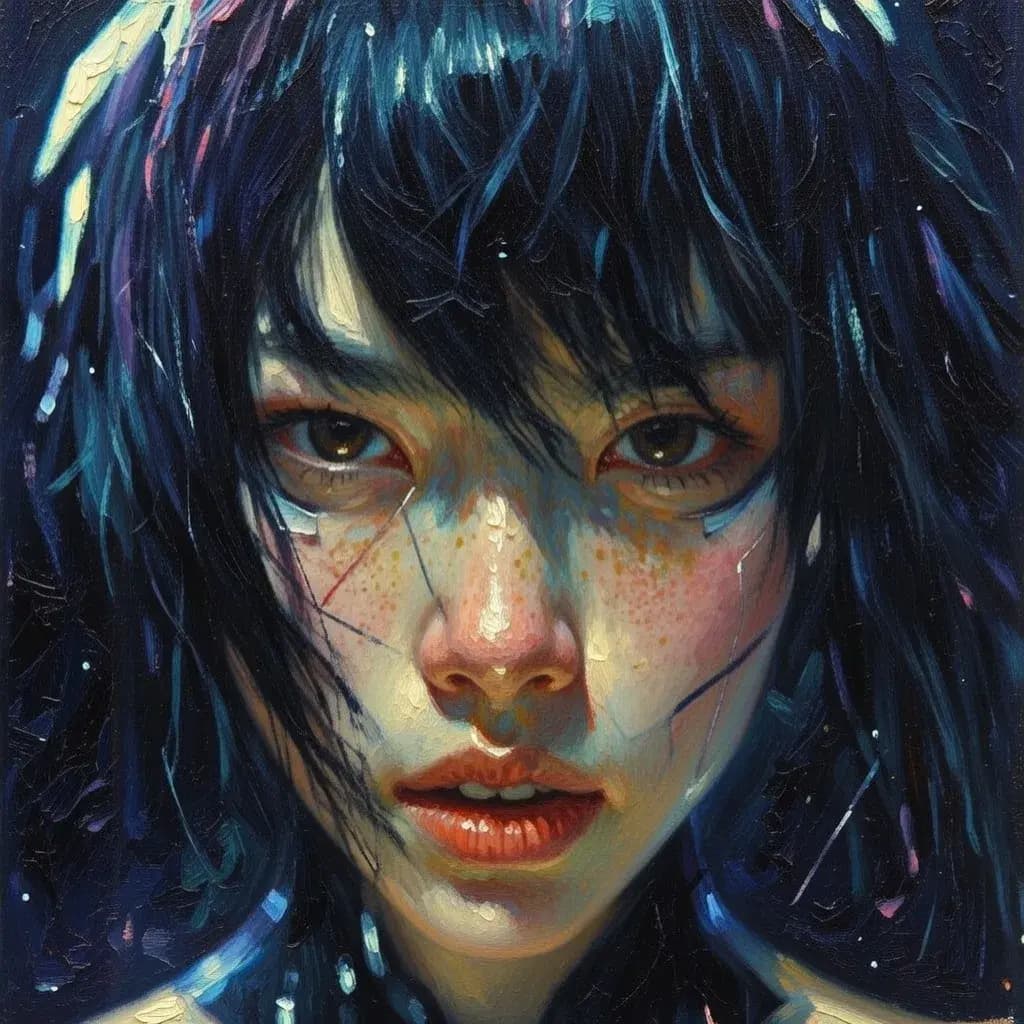
The grok-imagine-image-2.0 model supports a wide range of visual styles, from ultra-realistic photography to anime, oil paintings, and pencil sketches. Transform existing images by describing the desired aesthetic in your prompt.





import xai_sdk

client = xai_sdk.Client()

response = client.image.sample(
    prompt="Render this image as an oil painting in the style of impressionism",
    model="grok-imagine-image-2.0",
    image_url="https://docs.x.ai/assets/api-examples/images/style-realistic.png",
)
print(response.url)Related
Image Generation — Generate images from text prompts
Multi-Image Editing — Edit with multiple source images
API Reference — Full endpoint documentation
Imagine API Landing Page — Showcase of the Imagine API in action
Last updated:August 13, 2026