文件与集合
通过 API 使用集合
本指南介绍如何使用 xAI SDK 和 REST API 以编程方式管理集合。
创建管理密钥
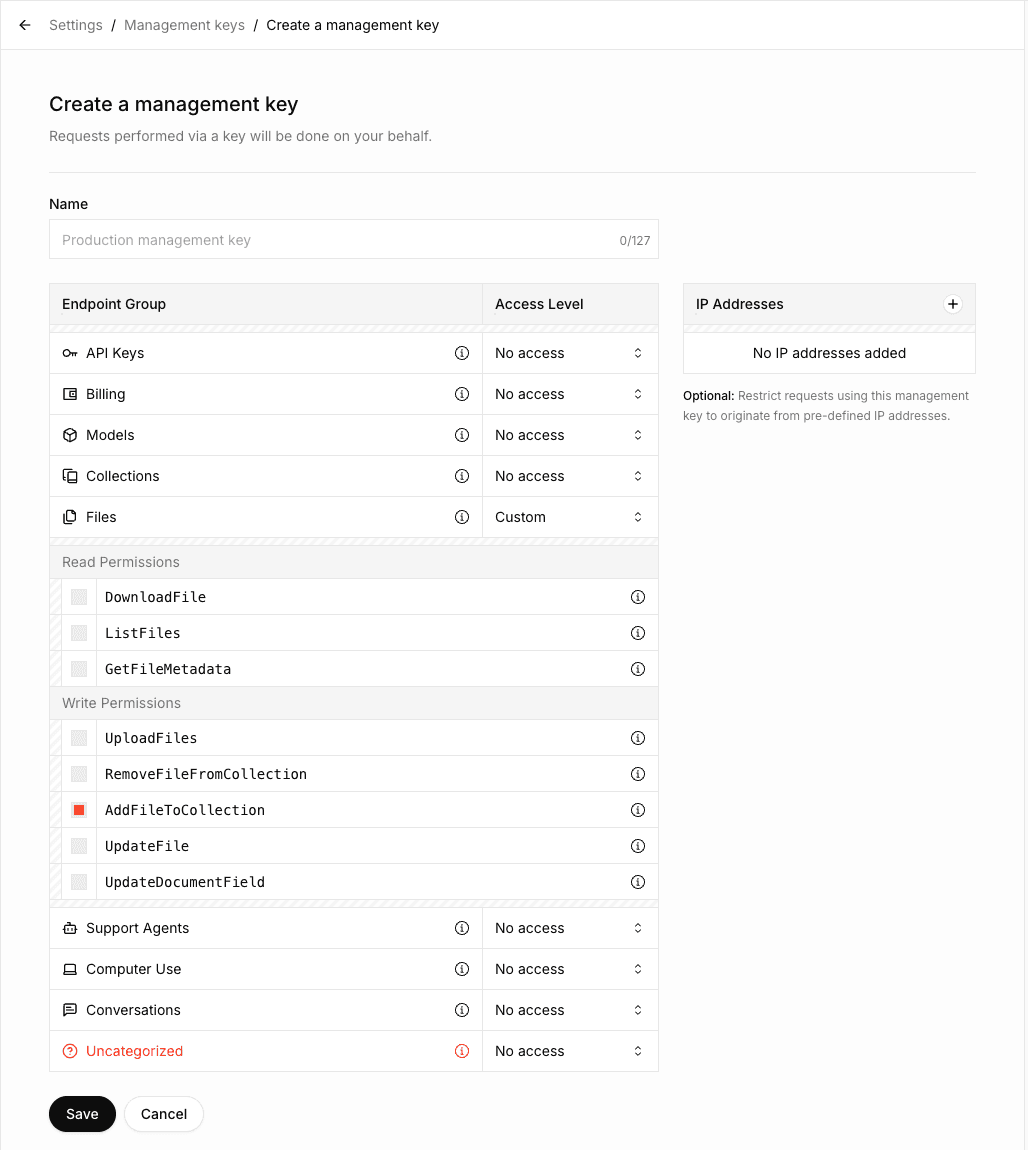
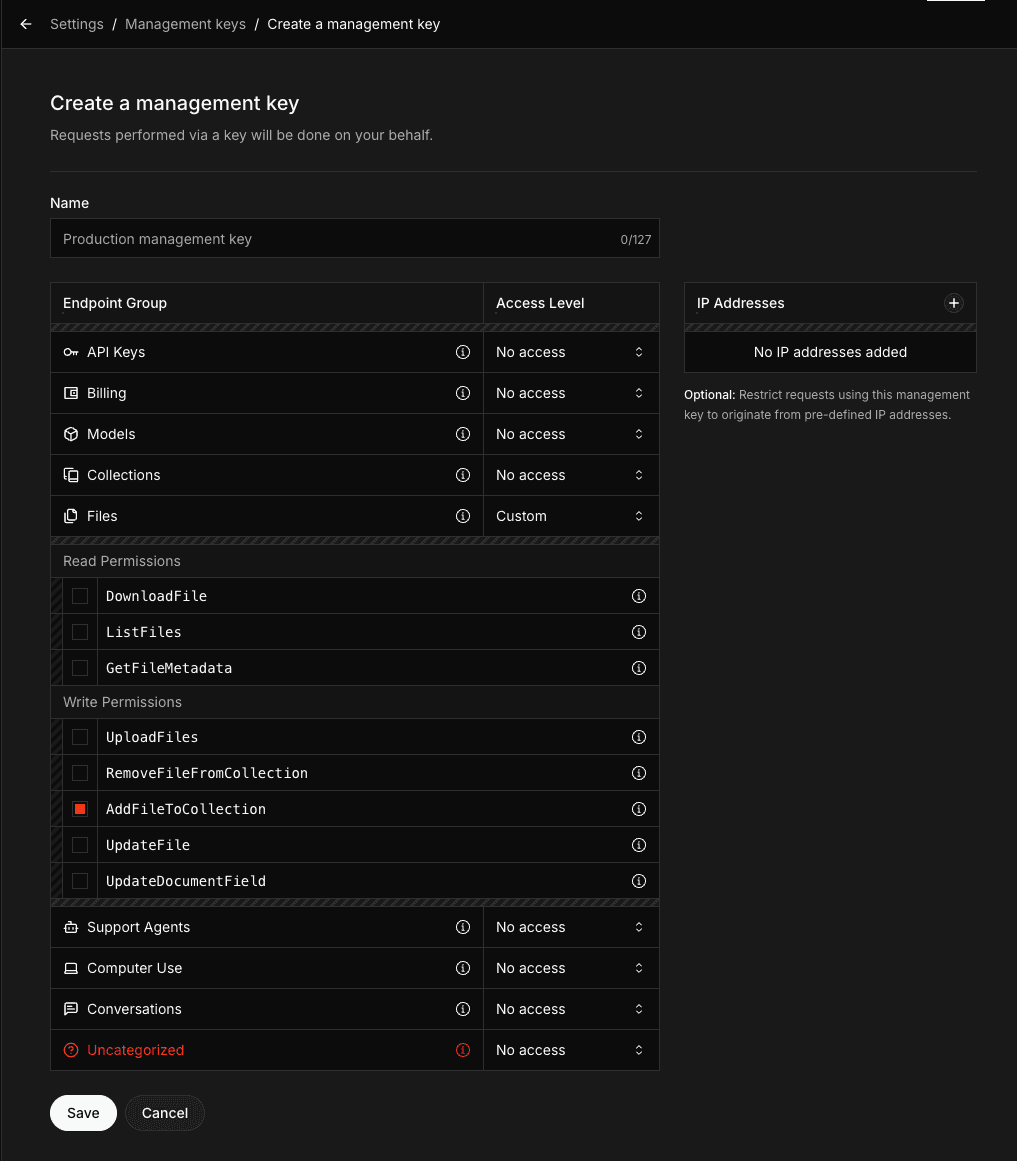
要使用 Collections API,需要创建具有 AddFileToCollection 权限的管理 API 密钥。向集合上传文档时必须具备该权限。
前往 Management Keys 区域,该区域位于 xAI Console
点击 Create Management Key
选择
AddFileToCollection权限,以及所需的其他权限如果需要执行上传文档以外的操作(例如创建、更新或删除集合),请在 Collections Endpoint 组中启用相应权限
复制并安全保存管理 API 密钥
创建集合
import os
from xai_sdk import Client
client = Client(
    api_key=os.getenv("XAI_API_KEY"),
    management_api_key=os.getenv("XAI_MANAGEMENT_API_KEY"),
    timeout=3600,
)

collection = client.collections.create(
    name="SEC Filings",
)

print(collection)列出集合
# ... Create client
collections = client.collections.list()
print(collections)查看集合配置
# ... Create client
collection = client.collections.get("collection_dbc087b1-6c99-493d-86c6-b401fee34a9d")

print(collection)更新集合配置
# ... Create client
collection = client.collections.update(
    "collection_dbc087b1-6c99-493d-86c6-b401fee34a9d",
    name="SEC Filings (New)"
)

print(collection)上传文档
向集合上传文档分为两个步骤:
将文件上传到 xAI API
将已上传文件添加到集合
# ... Create client
with open("tesla-20241231.html", "rb") as file:
    file_data = file.read()

document = client.collections.upload_document(
    collection_id="collection_dbc087b1-6c99-493d-86c6-b401fee34a9d",
    name="tesla-20241231.html",
    data=file_data,
)
print(document)使用元数据字段上传
如果集合定义了 元数据字段(创建或更新集合时,必须在 field_definitions 中设置这些字段,详情请参阅链接的元数据页面),请使用 fields 参数提供这些字段:
# ... Create client
with open("paper.pdf", "rb") as file:
    file_data = file.read()

document = client.collections.upload_document(
    collection_id="collection_dbc087b1-6c99-493d-86c6-b401fee34a9d",
    name="paper.pdf",
    data=file_data,
    fields={
        "author": "Sandra Kim",
        "year": "2024",
        "title": "Q3 Revenue Analysis"
    },
)
print(document)搜索文档
还可以通过 Responses API 使用 file_search 工具搜索文档。更多信息请参阅 Collections Search Tool 指南。
# ... Create client
response = client.collections.search(
    query="What were the key revenue drivers based on the SEC filings?",
    collection_ids=["collection_dbc087b1-6c99-493d-86c6-b401fee34a9d"],
)
print(response)搜索模式
提供三种搜索方式:
关键词搜索
语义搜索
混合搜索(结合关键词和语义两种方式)
系统默认使用混合搜索,通常可提供最佳且最全面的结果。
| 模式 | 说明 | 最适合 | 缺点 |
|---|---|---|---|
| 关键词 | 搜索指定单词、短语或数字的精确匹配 | 精确术语(例如账号、日期、特定财务数字) | 可能遗漏上下文相关的内容 |
| 语义 | 理解含义和上下文,以查找概念相关的内容 | 即使具体用词不同,也能发现一般概念、主题或意图 | 对特定术语的精确度较低 |
| 混合 | 结合关键词搜索和语义搜索,获得更广泛且更准确的结果 | 大多数实际使用场景 | 延迟略高 |
混合方式兼顾精确率和召回率,因此是大多数查询的推荐默认选择。
设置混合模式的示例:
curl https://api.x.ai/v1/documents/search \
  -H "Content-Type: application/json" \
  -H "Authorization: Bearer $XAI_API_KEY" \
  -d '{
      "query": "What were the key revenue drivers based on the SEC filings?",
      "source": {
          "collection_ids": [
              "collection_dbc087b1-6c99-493d-86c6-b401fee34a9d"
          ]
      },
      "retrieval_mode": {"type": "hybrid"}
}'
可以设置 "retrieval_mode": {"type": "keyword"} 用于关键词搜索,设置 "retrieval_mode": {"type": "semantic"} 用于语义搜索。
删除文档
# ... Create client

client.collections.remove_document(
    collection_id="collection_dbc087b1-6c99-493d-86c6-b401fee34a9d",
    file_id="file_55a709d4-8edc-4f83-84d9-9f04fe49f832",
)删除集合
# ... Create client

client.collections.delete(collection_id="collection_dbc087b1-6c99-493d-86c6-b401fee34a9d")下一步
最后更新:2026 年 5 月 25 日